Finder extension + native macOS app
Turn Markdown into polished PDFs without leaving Finder.
MarkdownToPDF PRO is built for writers, engineers, and documentation teams who want local, repeatable exports with batch queues, profiles, and clean print-ready output.
- Right-click .md and .markdown files in authorized Finder folders
- Queue batch jobs and retry failures
- Tune page size, margins, theme, fonts, and naming rules
- Process your documents locally on your Mac
Track queued files and conversions in progress from one dashboard, with results saved in history.
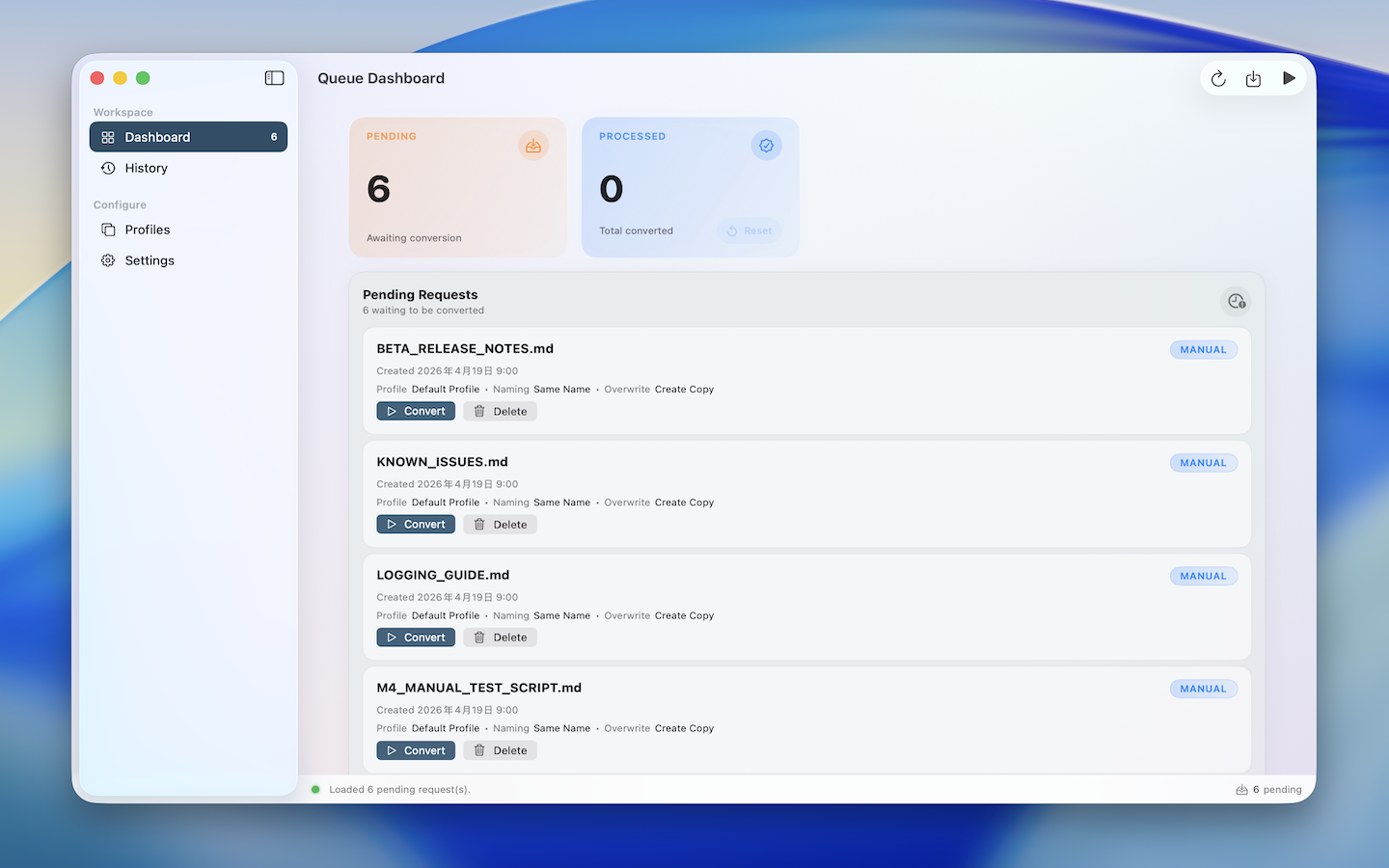
Your documents, profiles and conversion history stay on your Mac. No account needed.
Right from Finder
In folders you explicitly authorize, select one file or many, open the context menu, and send your Markdown straight into the conversion queue.
Built for repeat work
Profiles, naming rules, overwrite policies, and post-conversion actions make repeated exports predictable.
Readable history
Successful exports, failed jobs, retry flows, and output paths stay visible instead of disappearing into a menu.
Localized app UI
Choose from 30 language and regional options in Settings, including Chinese, Spanish, Portuguese, Arabic and Nordic languages, or follow macOS.
Workflow
A calmer way to export Markdown over and over again.
Start from Finder, import files or drag them into the app. Preview the PDF, choose a render configuration, and export one document or a batch.
Add files from Finder or the app
Enable the Finder extension and authorize your folders for right-click conversion, or import .md and .markdown files from the toolbar or by dragging them into the app.
Preview the PDF before exporting
Choose a built-in template or saved profile for each queued file. Open the PDF preview to check layout and page count, zoom in, and adjust your settings before export.
Control the PDF output in one place
Adjust page size, margins, fonts, themes, file naming, overwrite behavior, and what happens after export from the main app.
Control
Tune the PDF, not the Markdown source.
The current release focuses on local rendering quality, practical defaults, and enough controls to keep exported PDFs consistent across repeated runs.
Profile-driven rendering
Start with built-in templates, then save, copy or rename your own profiles. Customize A4, A5, Letter or Legal pages, margins, themes, fonts, tables, contents, headers and footers.
Output rules that stay predictable
Choose same-name exports, append dates, or custom patterns, then decide whether to replace files, fail fast, or create copies.
Batch-aware post actions
After conversion, the app can do nothing, reveal the PDF in Finder, or open the new file immediately.
Markdown coverage aimed at real documents
The app supports headings, ordered lists, unordered lists, task lists, block quotes, fenced code, syntax highlighting, tables, links, images, Mermaid diagrams, math formulas, and typography controls.
Document navigation that carries into PDF
Render settings can include table-of-contents navigation, and headings can carry over into PDF outline and bookmark entries for longer documents.
Local-only by design
The app is sandboxed, uses user-selected file access, and stores queue state, profiles, settings, and history on device.
Rounded table corners
Apply table corner radius options so exported tables can keep a softer, card-like shape without losing borders or alignment.
PDF preview before export
Check layout and page count with zoom controls before saving. Each queued file can use its own built-in template or saved render configuration.
Mac App Store Previews
Feature previews that match the current release.
These localized preview images highlight the latest render configuration controls, table styling, document navigation, and batch export workflow.
Rendered Output
Math, diagrams, and syntax-aware code blocks survive the trip to PDF.
The current renderer applies theme-aware color palettes, highlights common languages, and typesets TeX formulas offline before export.
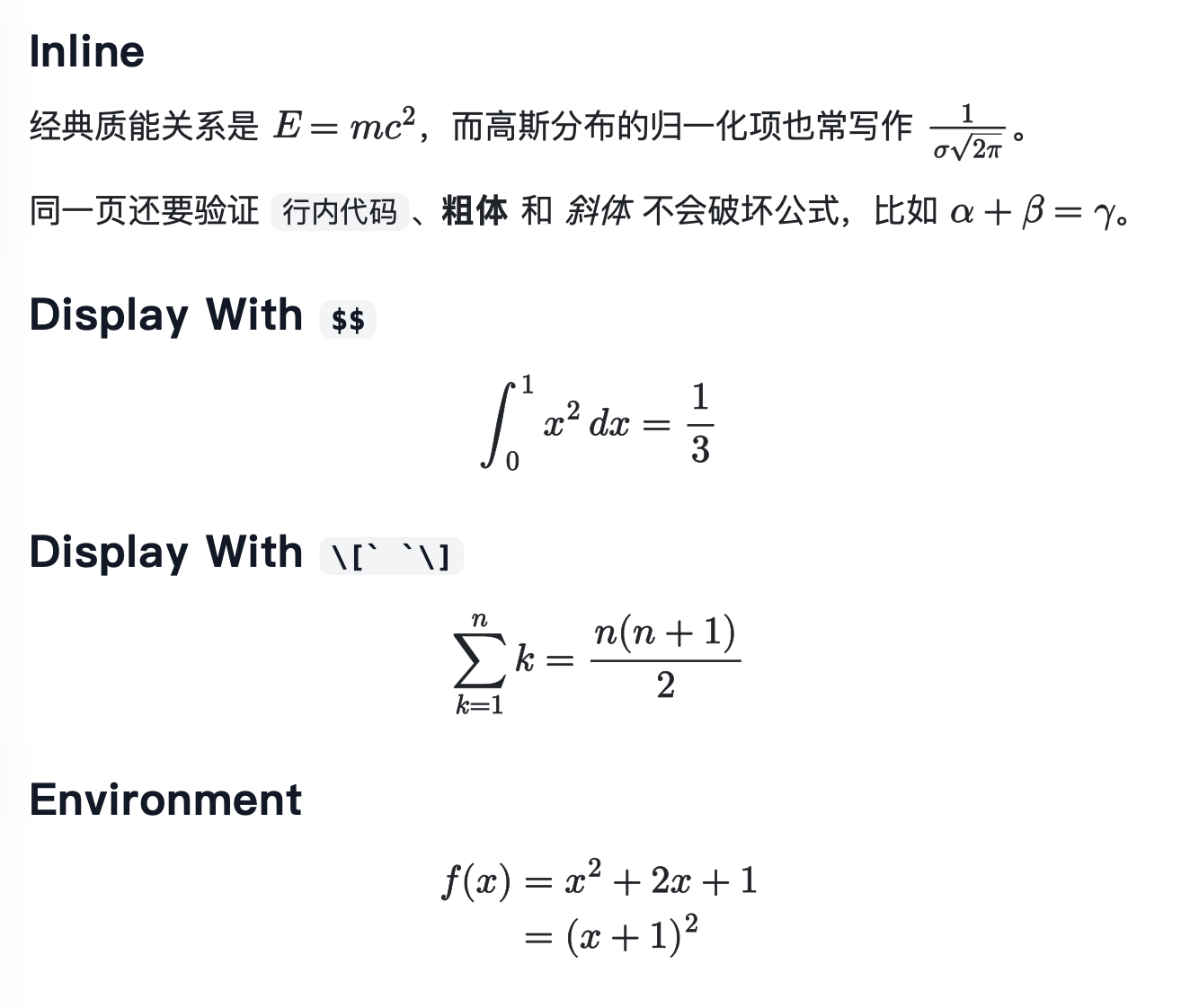
Offline math rendering
Inline and display formulas are typeset before export with bundled MathJax SVG, so the PDF keeps readable equations instead of raw TeX delimiters.
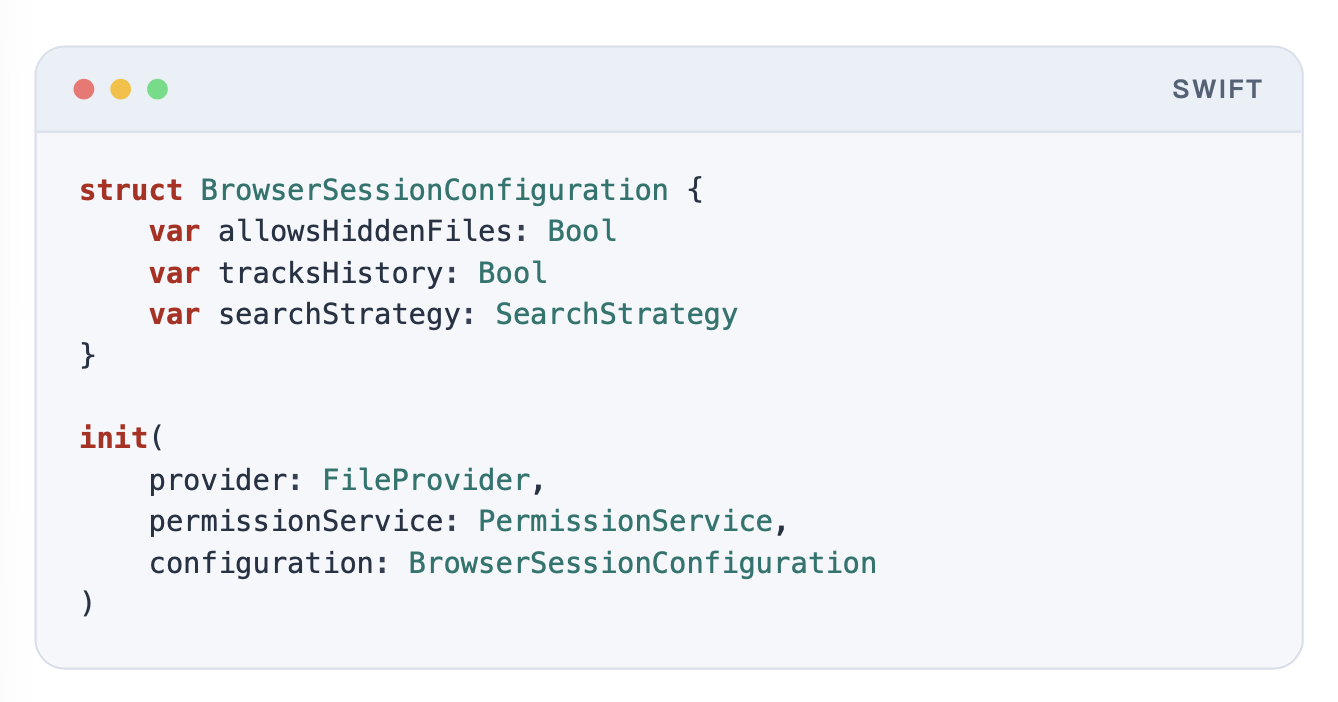
Code block styling
Exported code blocks keep syntax colors, language labels, and the polished window chrome used by the app's renderer.
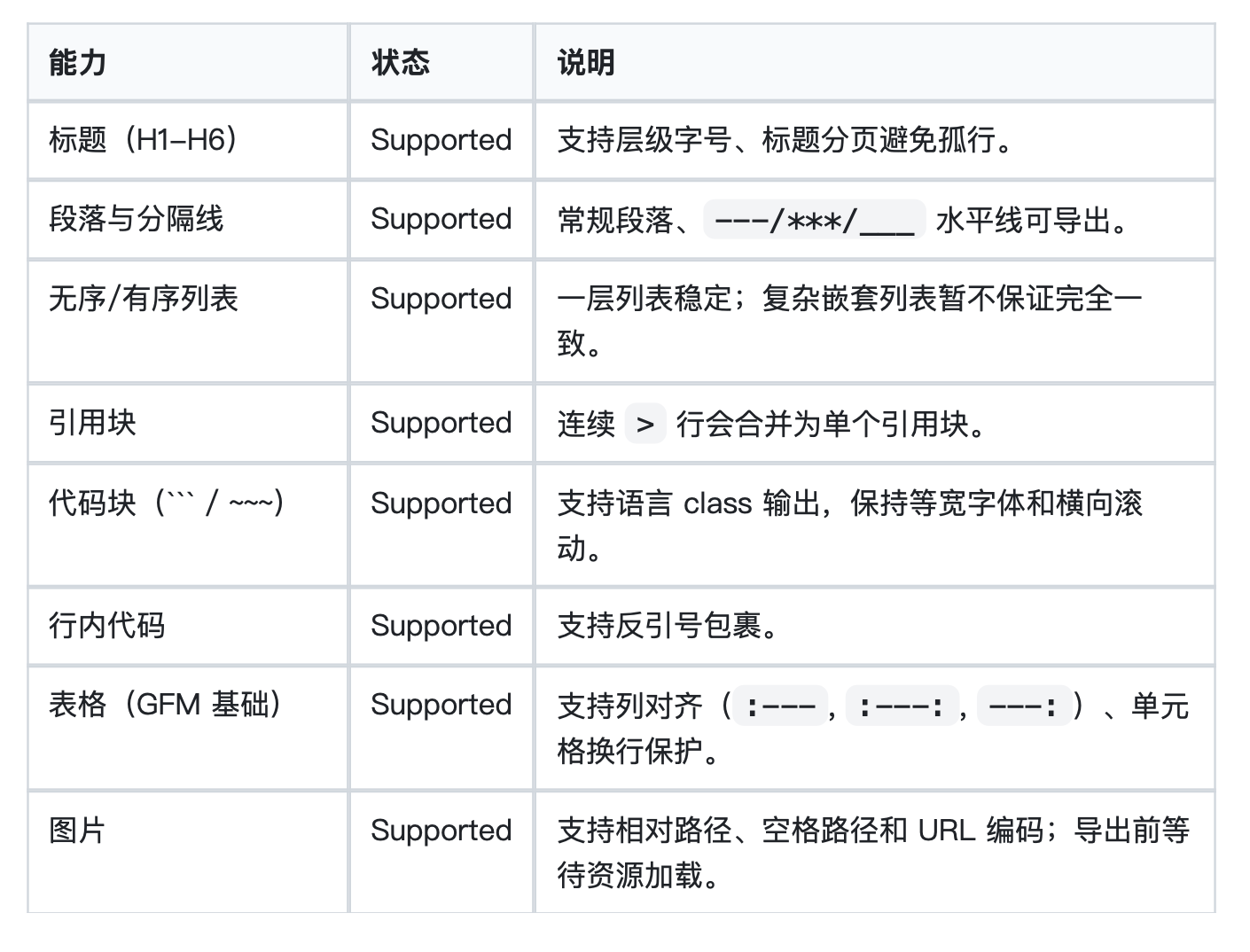
Table layout and alignment
Exported tables preserve borders, column alignment, and readable spacing so tabular content still feels structured after conversion.
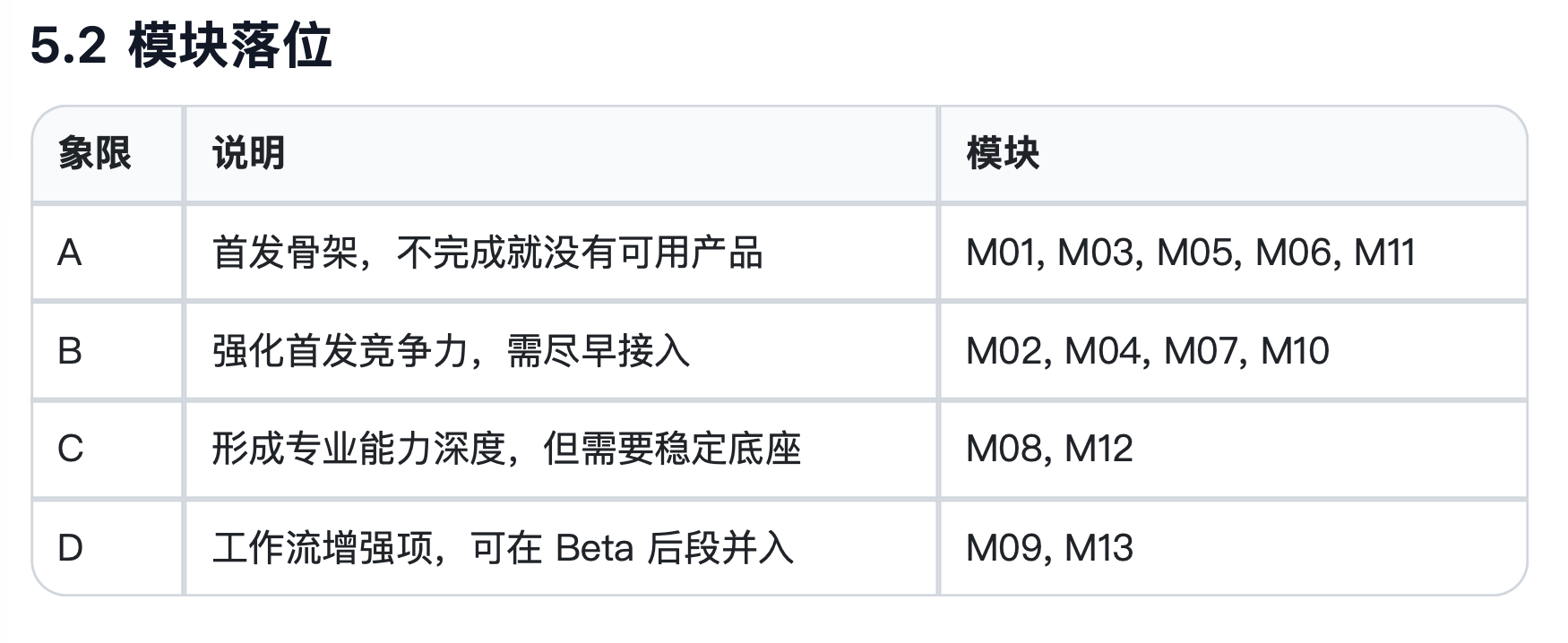
Rounded table styling
Table corner radius controls turn standard grid tables into softer exports while preserving header contrast, borders, and column alignment.
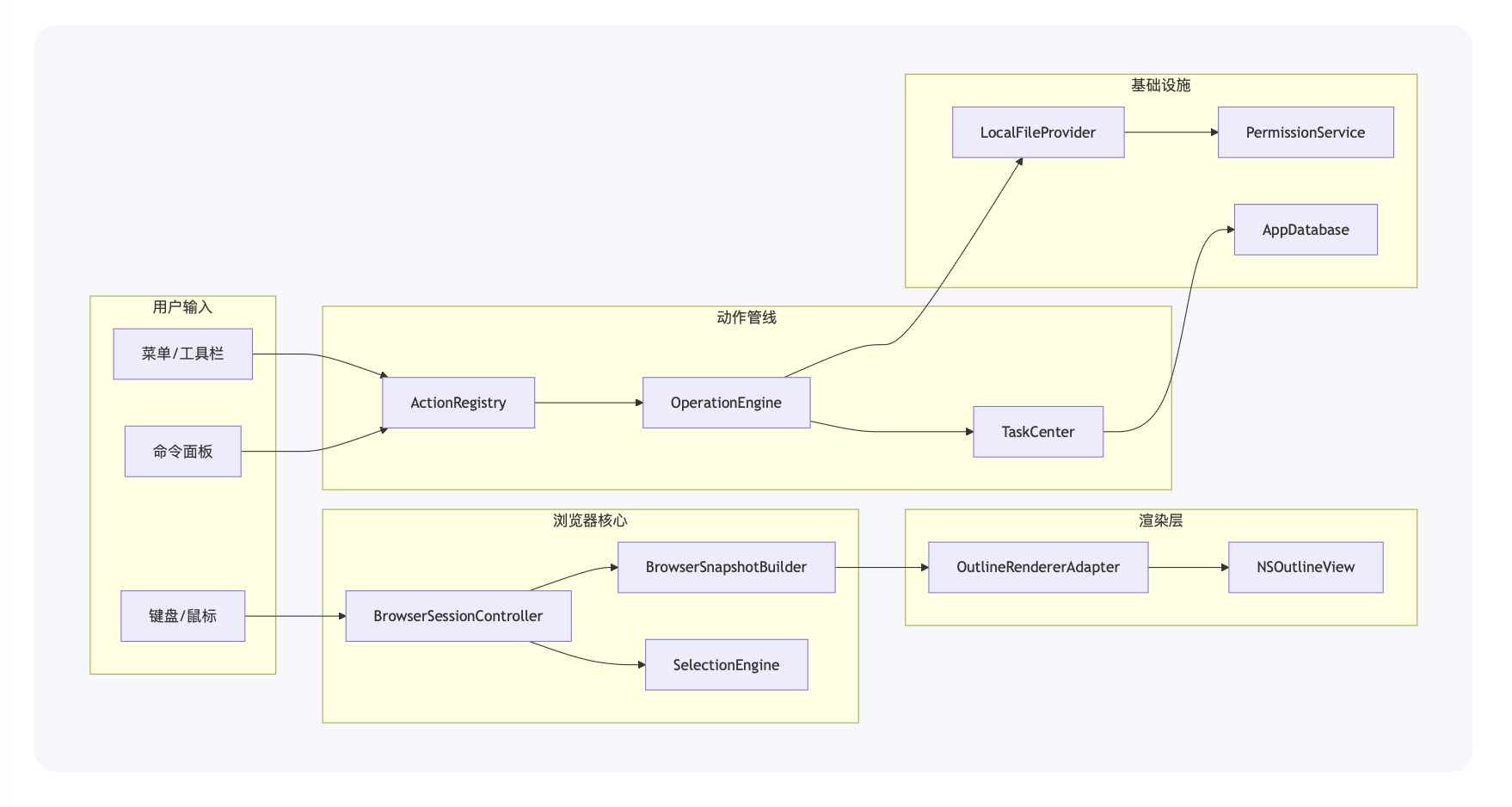
Flowchart rendering
Mermaid flowcharts preserve nodes, arrows, labels, and spacing so exported PDFs keep the same readable structure as the source diagram.
Syntax highlighting for common languages
Swift, Bash, Python, JavaScript, TypeScript, JSON, YAML, SQL, and C-like languages get built-in token highlighting. Unknown languages fall back to clean plain code blocks.
Theme-driven color configuration
System, light, sepia, and dark themes affect document colors, code block chrome, and syntax token colors, so exports can match different reading contexts.
Mermaid and document structure
Mermaid fenced blocks render as diagrams, while table-of-contents navigation and heading-based PDF outline/bookmark entries make long exports easier to browse.
Support Matrix
What the app supports in the current release.
From everyday notes to technical reports, combine flexible page settings with diagrams, formulas, code and PDF navigation.
Available today
- Headings, paragraphs, horizontal rules, and block quotes
- Ordered lists, unordered lists, task lists, inline code, fenced code blocks, and syntax highlighting
- Tables, alignment, links, images, relative asset paths, Mermaid, and offline math rendering
- Themes, page sizes, margins, table-of-contents navigation, PDF outline bookmarks, naming rules, and post-export actions
Privacy Policy
MarkdownToPDF PRO is designed to work on your Mac, not in the cloud.
This policy describes how the current app processes your documents and stores your preferences, reviewed on October 3, 2026.
What the app accesses
Only the Markdown files and folders you explicitly choose, plus local app settings, profiles, history records, and queue metadata.
What the app does not require
No account creation, no subscription, no automatic billing, no analytics SDK, and no document upload service in the current app.
How data stays local
The app is sandboxed and uses user-selected file permissions plus an App Group container for Finder-to-app job handoff.
1. Information the app processes
MarkdownToPDF PRO processes the source documents you select, the output locations you choose, and locally stored settings such as render profiles, naming defaults, conversion history, and pending queue records.
2. Why that information is used
That information is used only to render PDFs, manage queued conversions, reopen or reveal generated files, remember your preferences, and show conversion results or failures inside the app.
3. Network, tracking, and third parties
Based on the current repository and sandbox entitlements, the app does not include cloud rendering, analytics tracking, advertising SDKs, or account systems, and it does not upload document content to remote servers as part of normal use.
4. Storage and retention
Preferences, profiles, queue state, and history are stored locally on your device. Generated PDFs remain in the folder you choose. You can remove the app, clear records, or revoke folder access through system and app settings.
5. Your controls
You control which files and folders the app can access, whether the Finder extension is enabled, which output location is used, and whether history entries remain stored locally.
6. Policy updates
If the app architecture changes in a future release, this policy should be updated together with the release notes and website so the documented behavior stays accurate.